Leave Your Message
Choosing the best Wireless Wifi Video Doorbell is no longer about selecting the sharpest camera. It involves connection stability, privacy controls, installation effort, storage costs, and daily reliability. A device may look impressive in bright daylight, yet struggle when rain covers its lens or a weak router sits upstairs. Small details matter.
Parks Associates’ smart-home research consistently identifies security as a leading reason households adopt connected devices. Its consumer studies also show growing interest in video doorbells and outdoor monitoring, although ownership varies by country, income, and housing type. Grand View Research’s Smart Doorbell Market report projects continued market expansion through 2030, driven by smartphone alerts, cloud services, and affordable wireless installation. These figures indicate momentum, not automatic quality.
Blake Kozak, a smart-home analyst at Parks Associates, has stated, “Security is the number one reason consumers purchase smart home products.” That principle should guide every comparison. A useful Wireless Wifi Video Doorbell must send timely alerts, capture readable faces, and remain dependable after repeated use. Check whether notifications arrive within seconds. Test the microphone beside traffic noise. Look for clear night footage, local-storage options, and transparent subscription terms.
There is no perfect model.
Some buyers may overvalue resolution and underestimate battery maintenance. Others may trust brand reputation without checking data practices. This guide examines those weak points carefully, using published industry research, manufacturer specifications, and practical ownership considerations. The goal is not to promote the most expensive doorbell. It is to identify the model that fits your entrance, network, budget, and expectations.
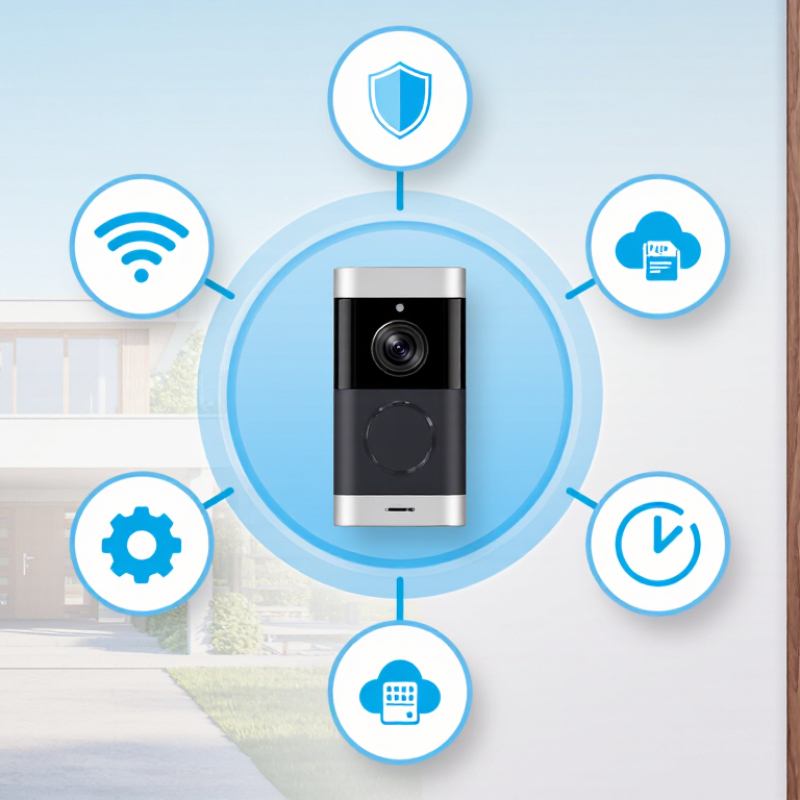
Choosing the best wireless WiFi video doorbell starts with defining your security needs. Walk around your entrance during daylight and after dark. Note who approaches, where packages are left, and which areas need monitoring. A busy street may require accurate motion zones to reduce false alerts. A quiet doorway may benefit from stronger night vision and two-way audio. If deliveries matter, check whether the camera can see the doorstep clearly.
The installation location affects every feature. Mount the doorbell roughly at chest height, while keeping faces visible and avoiding direct sunlight. Test the WiFi signal at the exact mounting point, because brick walls and metal frames can weaken it. Keep the view away from neighbors’ windows where possible, and check local privacy requirements before recording shared spaces. For battery-powered units, choose a reachable position for charging. A secure, weather-protected surface is essential.
I once trusted an indoor WiFi test and missed several alerts outside. That was my mistake. Test again at the door. Ask someone to approach from different angles, carry a package, and stand under the porch light. Review both daytime and nighttime footage. Reflections from glass or wet floors can confuse motion detection. I would also test the view after opening the door, since the door may block part of the image. Some planning still feels imperfect, but real movement reveals problems that specifications cannot.
| Evaluation Dimension | What to Assess | Practical Target or Typical Specification | Installation Location Guidance | Priority |
|---|---|---|---|---|
| Security Objective | Determine whether the main purpose is visitor identification, package monitoring, deterrence, or incident recording. | Choose a model and storage plan that support the required recording length, notifications, and access-sharing options. | Place the doorbell where it clearly covers the visitor approach, delivery area, and the door immediately in front of it. | High |
| Video Resolution | Check whether faces, clothing details, package labels, and vehicle activity can be recognized in the expected viewing area. | Full HD 1080p is a practical baseline. Higher resolution may improve detail but can require more bandwidth and storage. | Avoid mounting directly toward strong sunlight, reflective surfaces, or bright outdoor lights that can reduce image detail. | High |
| Field of View | Evaluate horizontal and vertical coverage, especially for visitors standing close to the door or packages placed on the ground. | A horizontal viewing angle of approximately 120–180° is common for broad doorway coverage. A taller vertical view helps monitor packages. | For narrow hallways, avoid an excessively wide angle if it causes strong edge distortion. For open porches, wider coverage is generally useful. | High |
| Night Vision | Confirm whether the camera can identify visitors after dark and whether infrared lighting creates glare from nearby walls. | Infrared night vision is a useful baseline. Color night vision typically requires sufficient ambient or supplemental light. | Do not aim the lens directly at porch lamps, vehicle headlights, or highly reflective door surfaces. | High |
| WiFi Connectivity | Measure signal strength at the intended mounting point rather than relying only on the signal near the router. | Use a stable 2.4 GHz connection when longer range and better wall penetration are needed. A strong, consistent signal is more important than peak speed. | Thick masonry, metal doors, foil insulation, and long distances can weaken WiFi. Consider a mesh node or access point nearer to the entrance. | High |
| Power Method | Compare battery replacement frequency, charging convenience, existing wiring, and local electrical requirements. | Battery-powered units often provide several weeks to several months per charge, depending on motion activity, temperature, and recording settings. Wired units provide continuous power when compatible wiring is available. | Choose a location that allows safe battery removal or accessible wiring. Cold weather and frequent motion can reduce battery life. | High |
| Weather Resistance | Check protection against rain, dust, humidity, temperature changes, and direct sun exposure. | An enclosure rated IP65 or higher generally offers strong protection against dust and water jets; verify the operating temperature range separately. | Use an eave or protective cover when possible, but do not block the camera, microphone, speaker, or motion sensors. | High |
| Mounting Height | Balance face-level identification with a useful view of packages and the approach path. | A typical mounting height is approximately 1.2–1.5 m (4–5 ft) above the ground, adjusted for the occupants and doorway design. | Keep the camera level and avoid placing it so high that it mainly captures the tops of visitors' heads. | High |
| Motion Detection | Assess whether the system can distinguish people from passing cars, pets, trees, or changing shadows. | Adjustable activity zones, sensitivity controls, and person detection can reduce unnecessary alerts. Detection performance varies by environment. | Exclude sidewalks, busy roads, neighboring properties, and areas with constant movement when setting activity zones. | Medium |
| Recording and Storage | Determine how long event clips should remain available and whether internet service interruptions need to be covered. | Cloud storage is convenient for remote access; local storage can reduce recurring fees. Look for sufficient clip duration and event history for your needs. | Ensure the device has a reliable connection to upload recordings and that the installation area is not easily accessible to tampering. | Medium |
| Two-Way Audio | Check microphone and speaker clarity, delay, background-noise handling, and whether conversations can be heard from inside the home. | Full-duplex or clear two-way communication is preferable. Audio quality depends on distance, wind, traffic, and network latency. | Avoid mounting beside loud air-conditioning units or enclosed corners that can cause echoes and reduce speech clarity. | Medium |
| Privacy and Legal Considerations | Review local rules concerning audio recording, neighboring property views, and the retention or sharing of security footage. | Use privacy masking, activity-zone controls, strong passwords, two-factor authentication, and current firmware where available. | Angle the camera toward your own entrance and property. Avoid unnecessary views into bedrooms, private yards, or neighboring homes. | High |
| Installation Surface | Identify whether the mounting surface is wood, brick, concrete, metal, glass, or uneven siding. | Use anchors and screws suitable for the surface. A wedge mount may help correct the viewing angle on recessed or angled doorways. | Verify that the mounting area is structurally secure and that drilling will not damage wiring, plumbing, insulation, or the door frame. | Medium |
| Smart Home Compatibility | Consider whether the doorbell needs to work with existing speakers, displays, locks, alarms, or automation routines. | Confirm compatibility with the desired mobile operating system, smart-home platform, notification method, and user-access controls. | Install within reliable WiFi coverage and test notifications from the locations where household members normally receive alerts. | Low to Medium |